Copy Trading
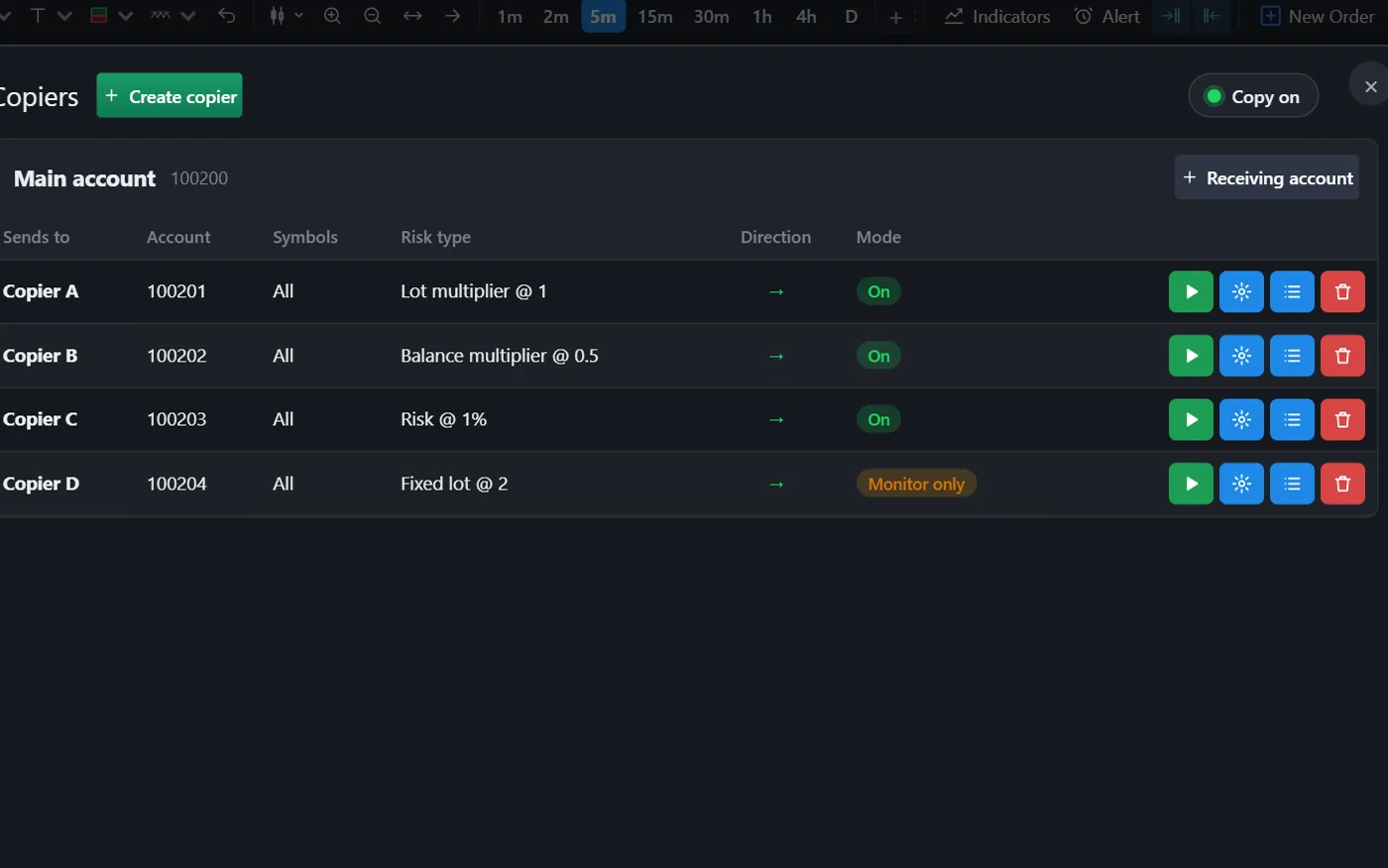
Copying continues, even with the platform closed.
It runs on the server. Each copier can be on, monitor-only or off.
- Lots by multiplier, fixed amount, balance, equity or risk
- Protections, hours and symbol mapping
- A history of every copy
For prop firms and brokers
Own engine, a complete trader platform, server-side rules, back office, CRM and API, all built to work together. Estimated integration: 15 days.
What you get
Most of the work in a trading business happens where the trader can't see it. Ultra covers both sides.
What is your business?
The same product standard, tuned to how each operation works.
Sell challenges, follow every phase and approve accounts with evidence. Traders operate in simulation with real market prices, and your rules are enforced on the server.
Available for implementation
Give your clients your own platform, with a Manager, a CRM and a separate installation. MT5 only comes in if it makes sense for you.
Live
Ultra runs in live operation, with active traders, rules enforced on the server and teams using the back office every day. In the demo, you see the product working, not slides.
Rules engine
You configure the plan, and the engine applies it: it cancels orders, flattens positions or locks the account, as you defined. Less manual review, and fewer arguments after the fact.
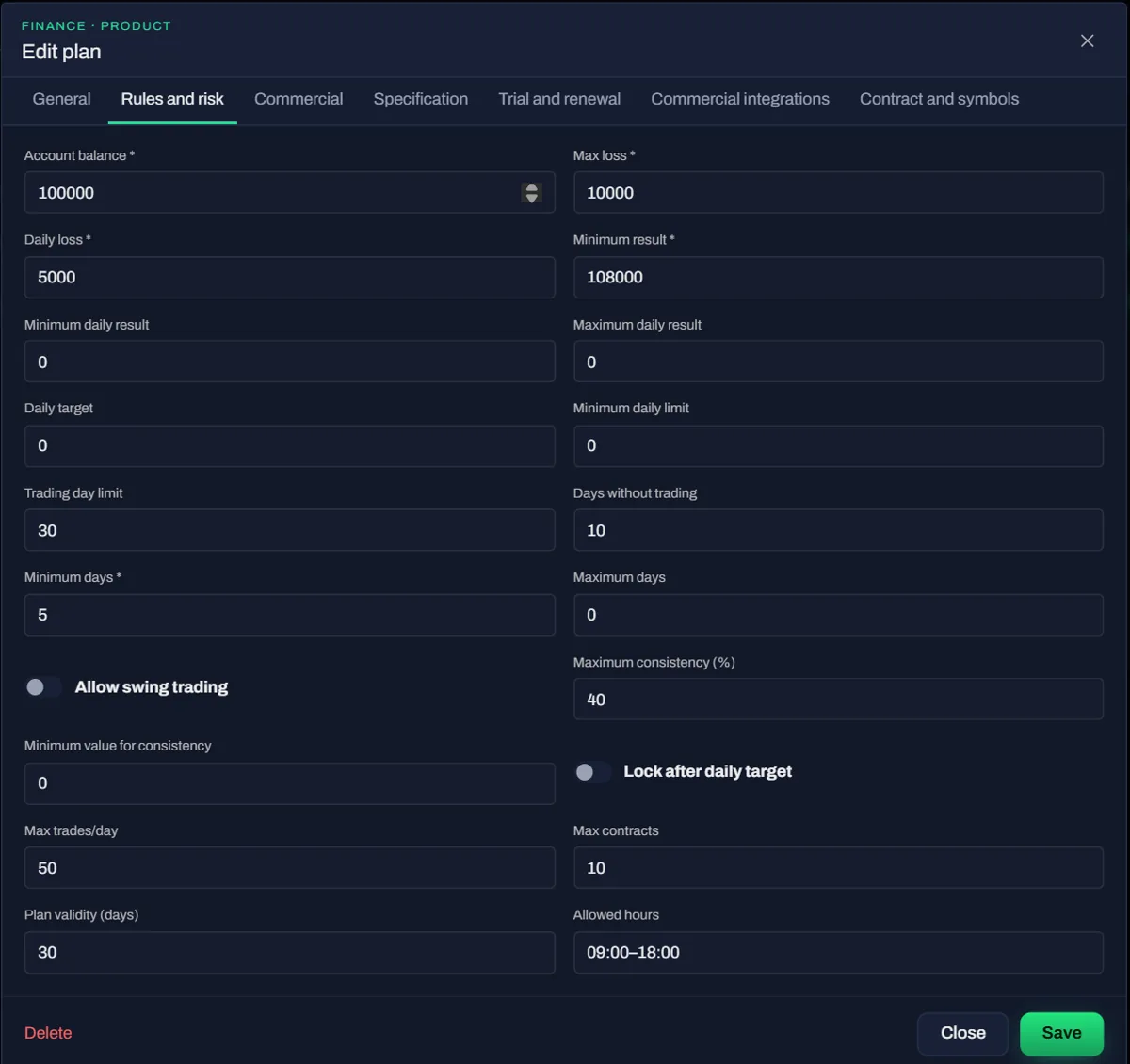
| Group | What you control |
|---|---|
| Drawdown | Static, end-of-day trailing or intraday trailing; based on equity or balance; floor lock at the starting balance |
| Daily | Daily loss and profit lock, with a lock until the next day |
| Margin | Stop-out by margin level |
| Phases | Profit target, minimum days, consistency and calendar deadline |
| Orders | Contracts per symbol, weighted combined capacity, leverage and allowed symbols |
| Account lifecycle | Activation, review, pre-approval, approval, funded, rejected, expired, suspended and terminated |
Live risk
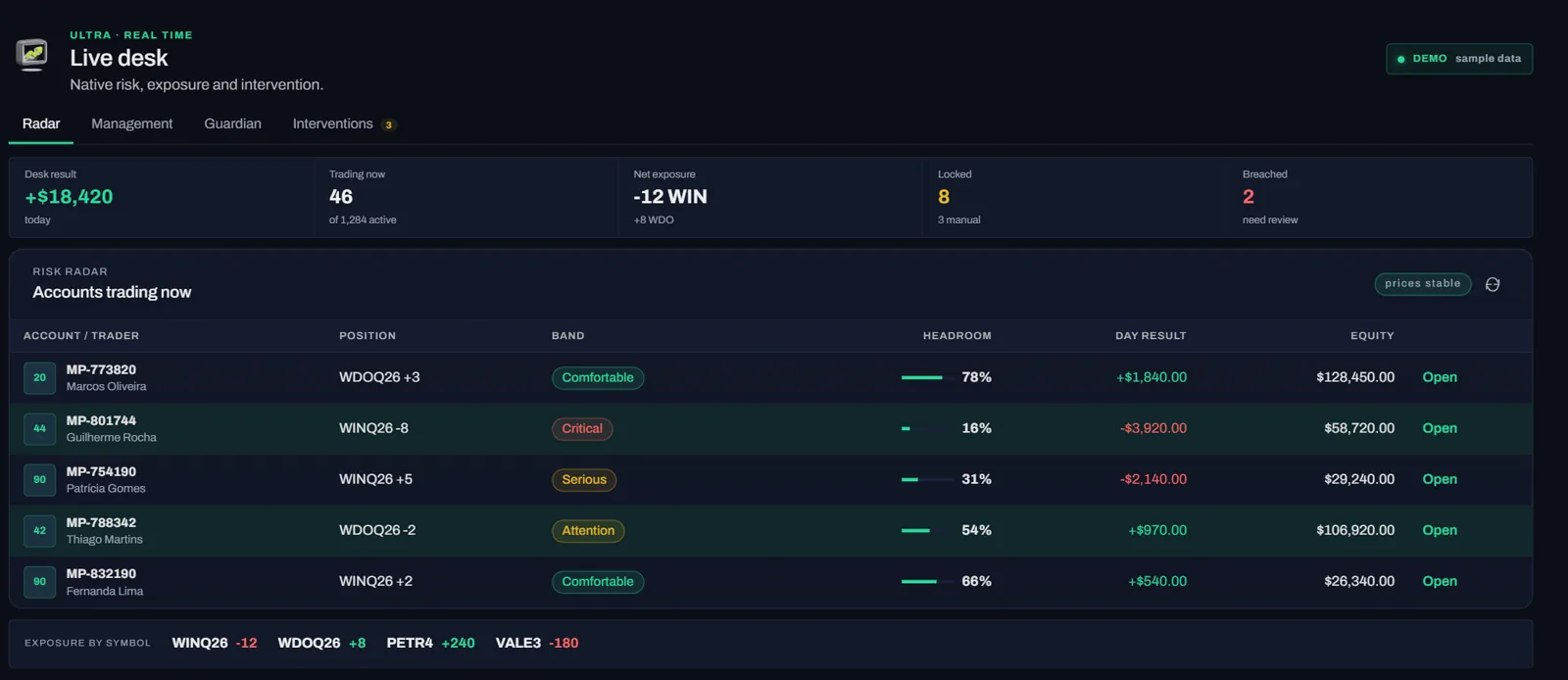
The radar sorts accounts by band, with aggregate results and exposure. To step in, your team sees a preview, confirms and gives a reason.
Back office and CRM
Client, account, document, withdrawal and audit trail in one place, with the right access for each person.
Firm portal: clients, purchases, accounts, evaluations, alerts, risk, plans, activations, withdrawals, results, webhooks and API.
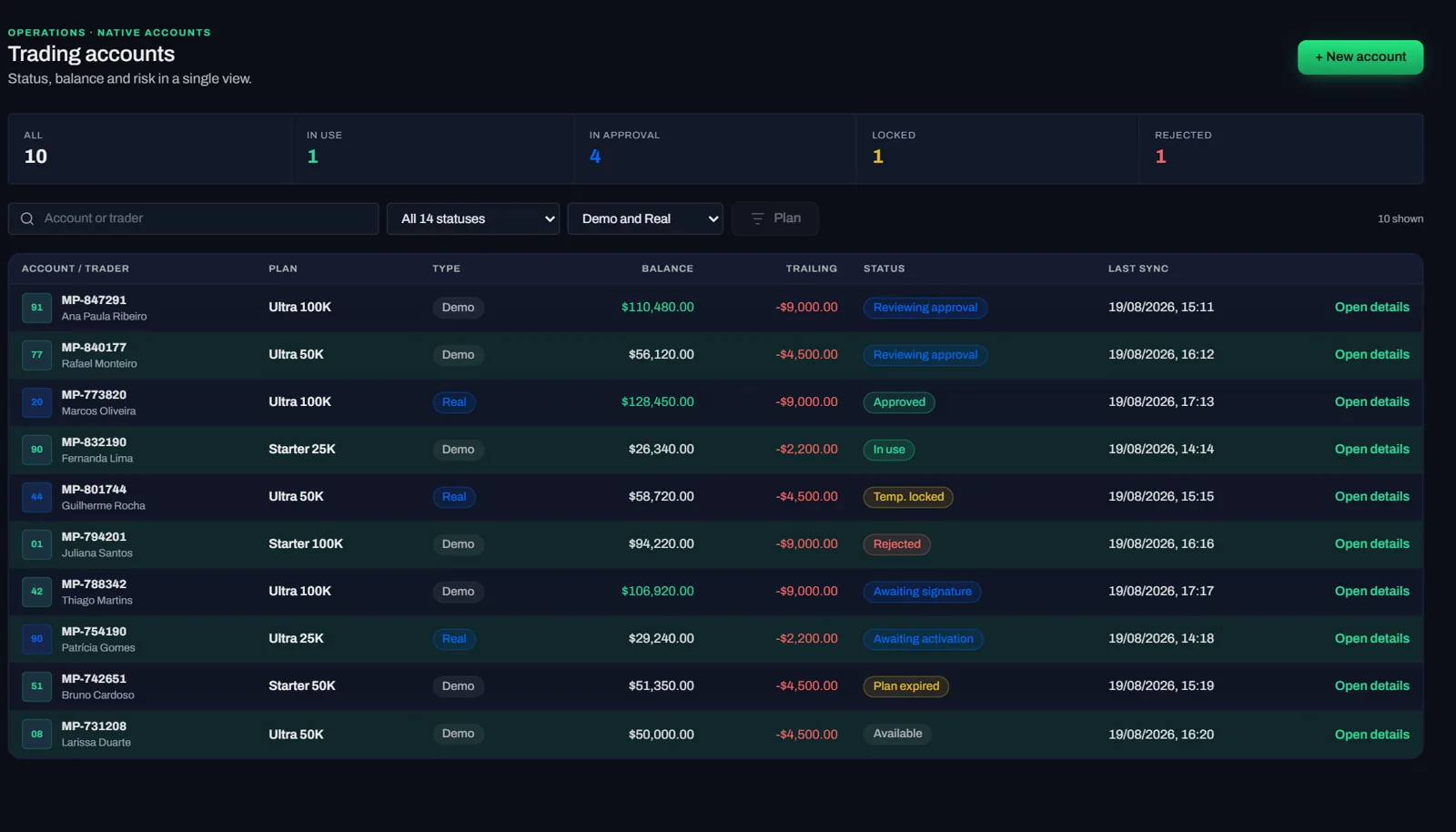
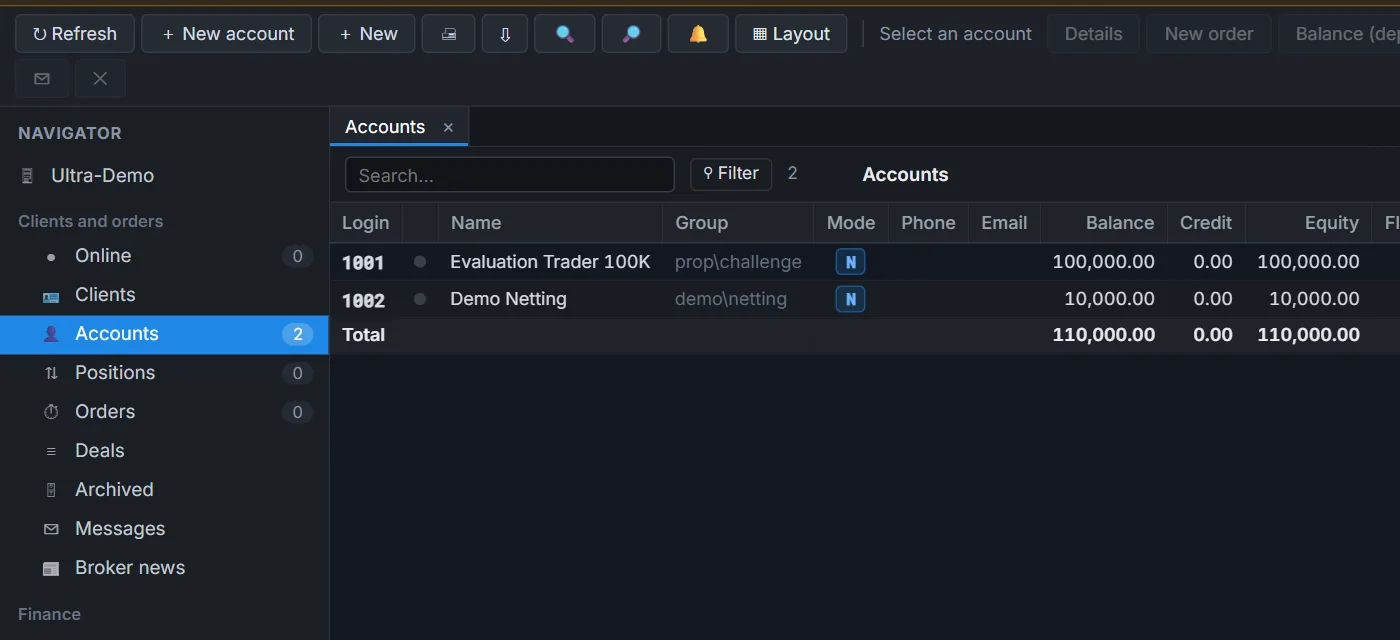
Broker Manager: accounts, groups, symbols with per-group settings, positions, orders, dealing desk, "when X, do Y" automations and over 80 reports.
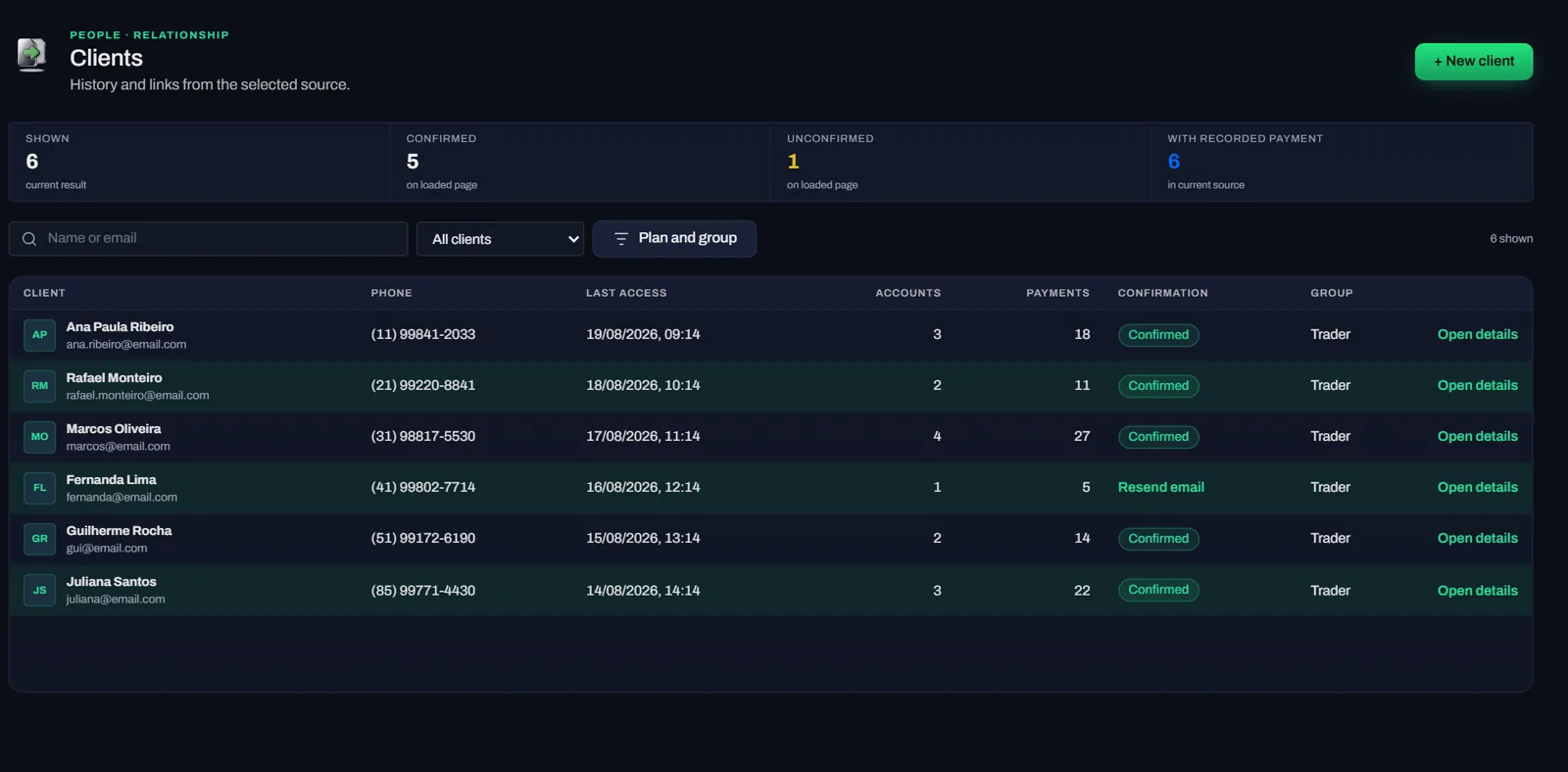
The client, the accounts and the documents in one record. Individual and company profiles, several accounts per person, source, campaign and country. Documents with approve and reject, comments with version history, bulk messages and emails with templates, global search and condition-based alerts.
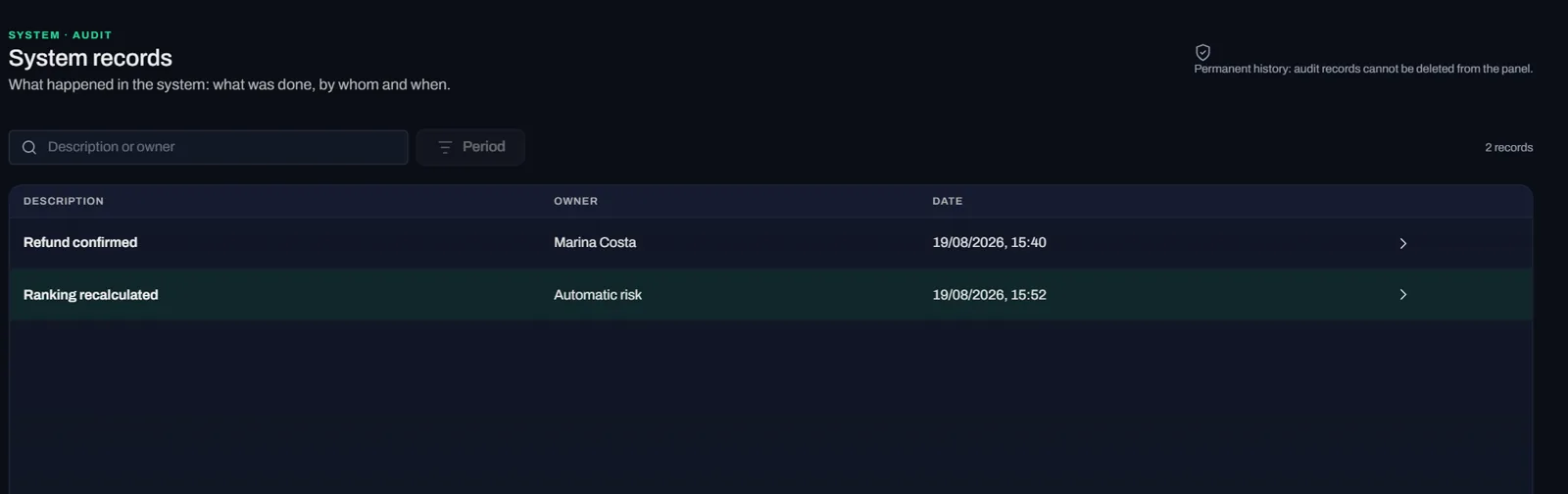
A trail for every action. The audit log records who acted, what changed and why. For brokers, it also keeps before and after, with IP and CSV export.
Trader platform
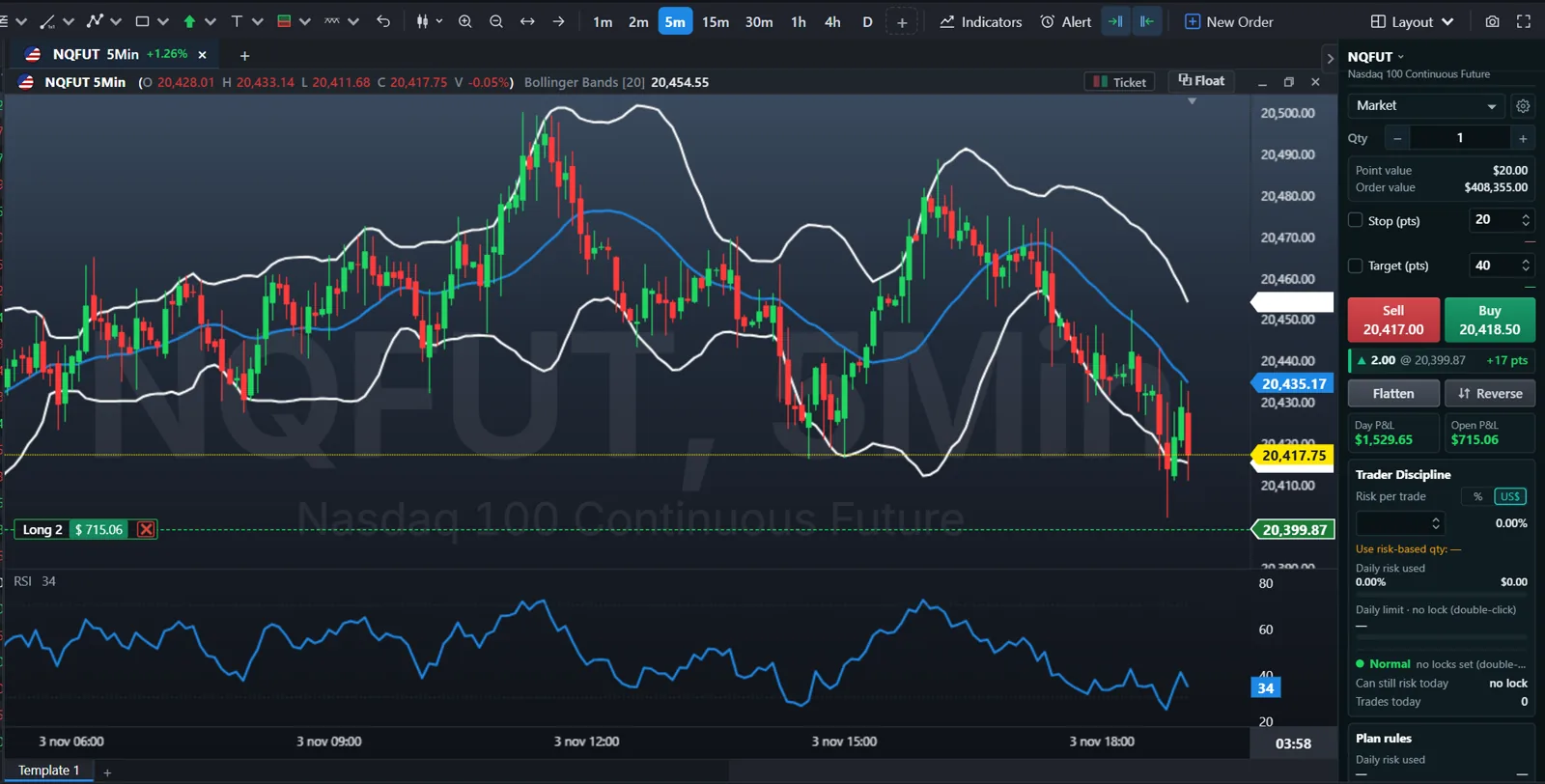
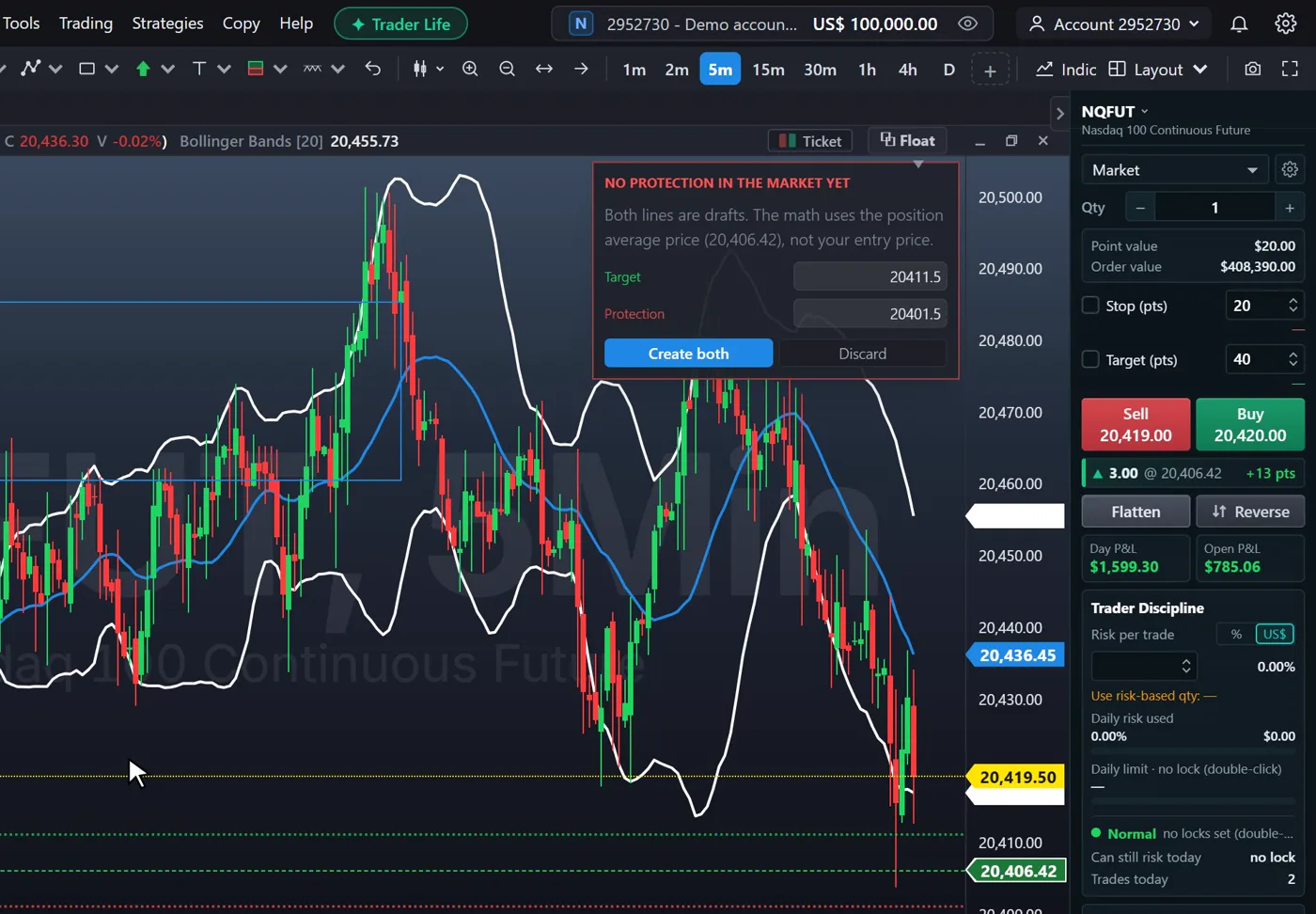
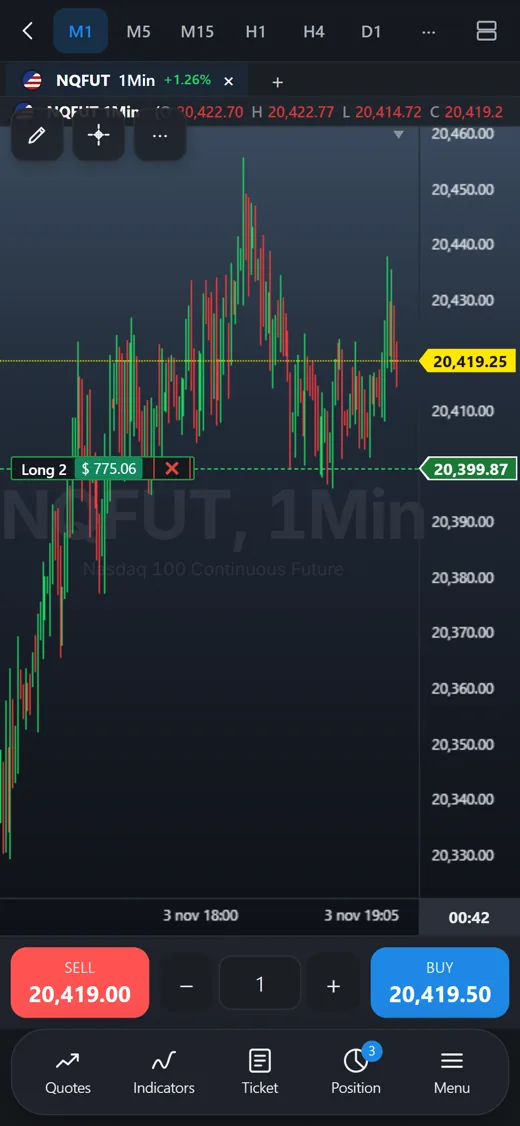
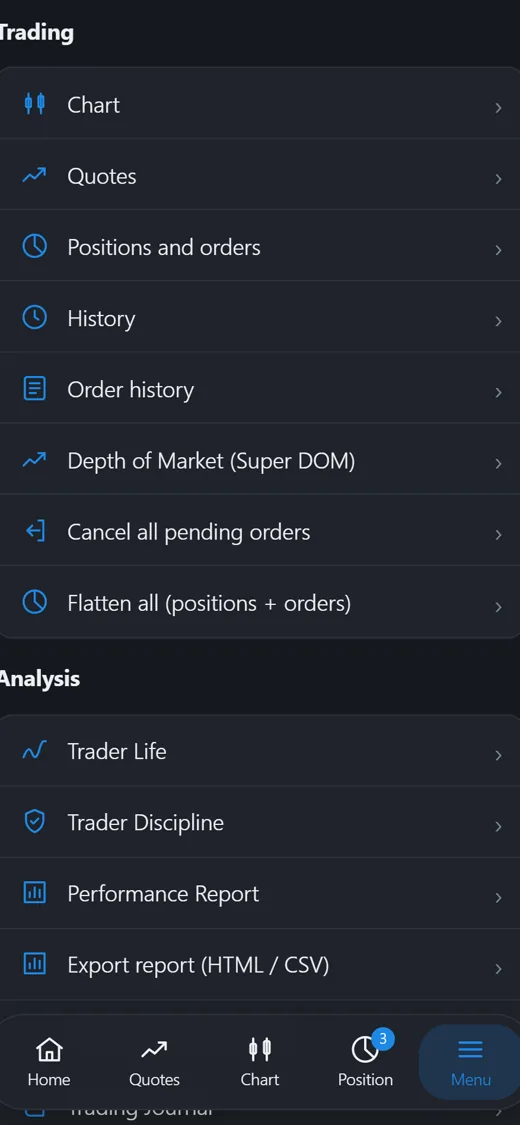
Charts, orders, risk and the daily review in one environment. It opens in the browser with nothing to install, in the Windows program and in the iOS and Android app, with settings synced across machines.
Order execution
One click to get in. Orders, stops and targets drag right on the price. With Risk Sight, the trader places the stop and the platform sizes the position from the risk set.
Discipline and review
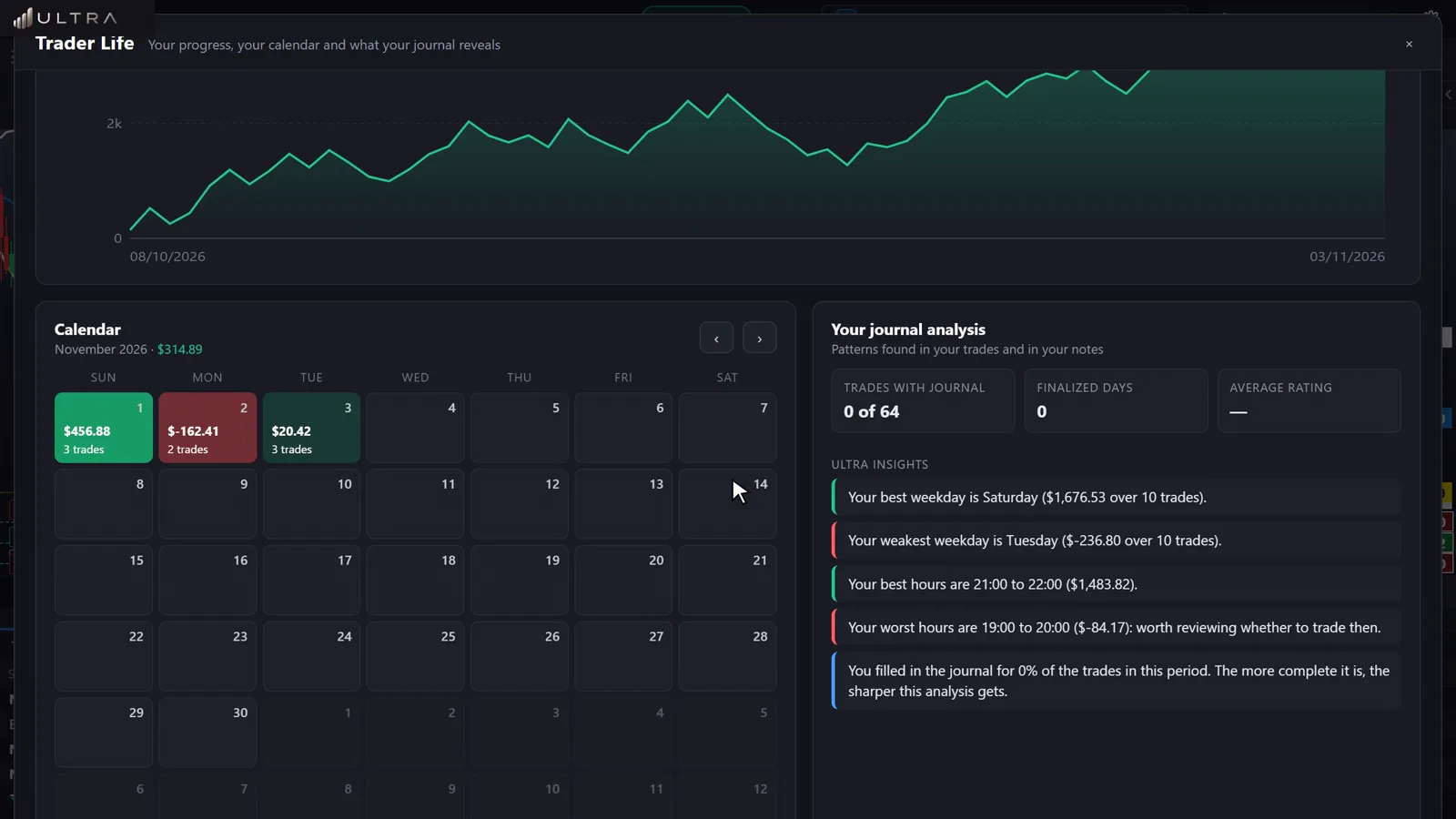
Traders set their own limits and can lock editing for a few hours or until the end of the day. Reducing or closing is never blocked, because getting out of risk must always be possible.
Copy Trading
It runs on the server. Each copier can be on, monitor-only or off.
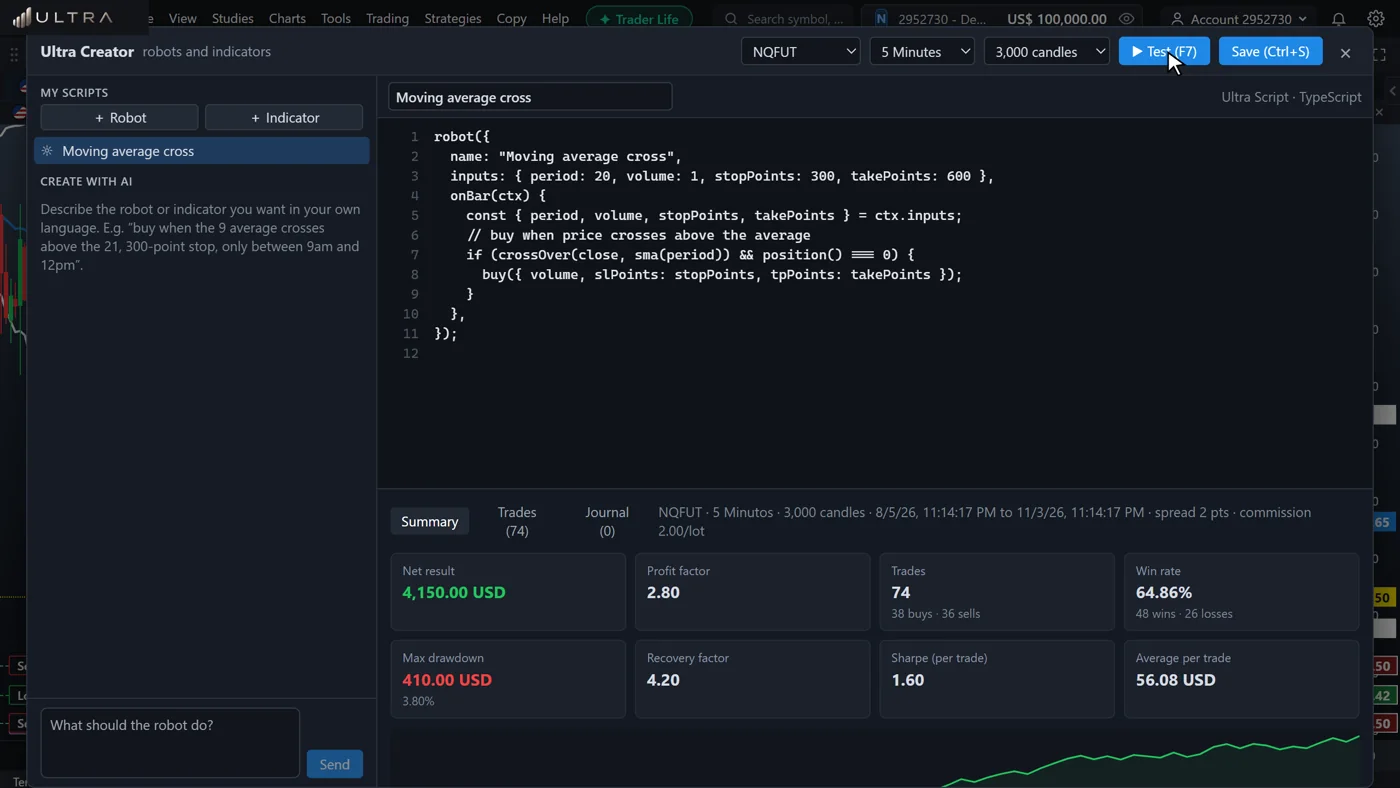
Ultra Creator
Write in Ultra Script, or describe the idea to the AI assistant.
Community
The Lounge, the Ideas Board and Championships build routine and relationships inside your operation.
Integrations
No need to replace what you already use. We'll look at your systems in the demo.

Market data: CFDs included. US futures and stocks can be added at an extra charge.
How to start
Coming from MT5? The process includes review, reconciliation and a verified opening for each account, in batches.
Your brand
Logo, colors, icon and your own domain with a certificate, plus a Windows installer with your brand.
Operations and continuity
Automatic backups and monitoring with alerts. Brokers also get a public system status page and a monthly SLA report.
No fine print
The estimate is 15 days for prop firms and brokers, depending on the agreed scope.
No. Prop firms don't use MT5, and for brokers it's optional.
Yes. Prop firms and brokers use Ultra's own CRM.
Yes, for iOS and Android, plus the web version and the Windows program.
Yes: logo, colors, domain and a Windows installer.
Yes, through API, webhooks and WebSocket. We'll look at yours in the demo.
Pricing is presented in the demo, based on the size and format of your operation.
In 30 minutes, we show you the platform, the rules and the back office, and tell you plainly whether Ultra fits your business.
Book a demopartners@insiderultra.com (USA)operacoes@ultrapartnerb2b.com (Brazil)